See the console in 3 steps.
3 screens from the PepHQ console. Every screen shows example data, and each step names the module it belongs to.
Step 1 of 3Receive stock against a purchase order
Purchase order PO-2026-002 is ordered. Its Receive panel is open with 200 packs of Sample Reference Standard to receive.
Example dataSynthesis POs & suppliersQ1 2027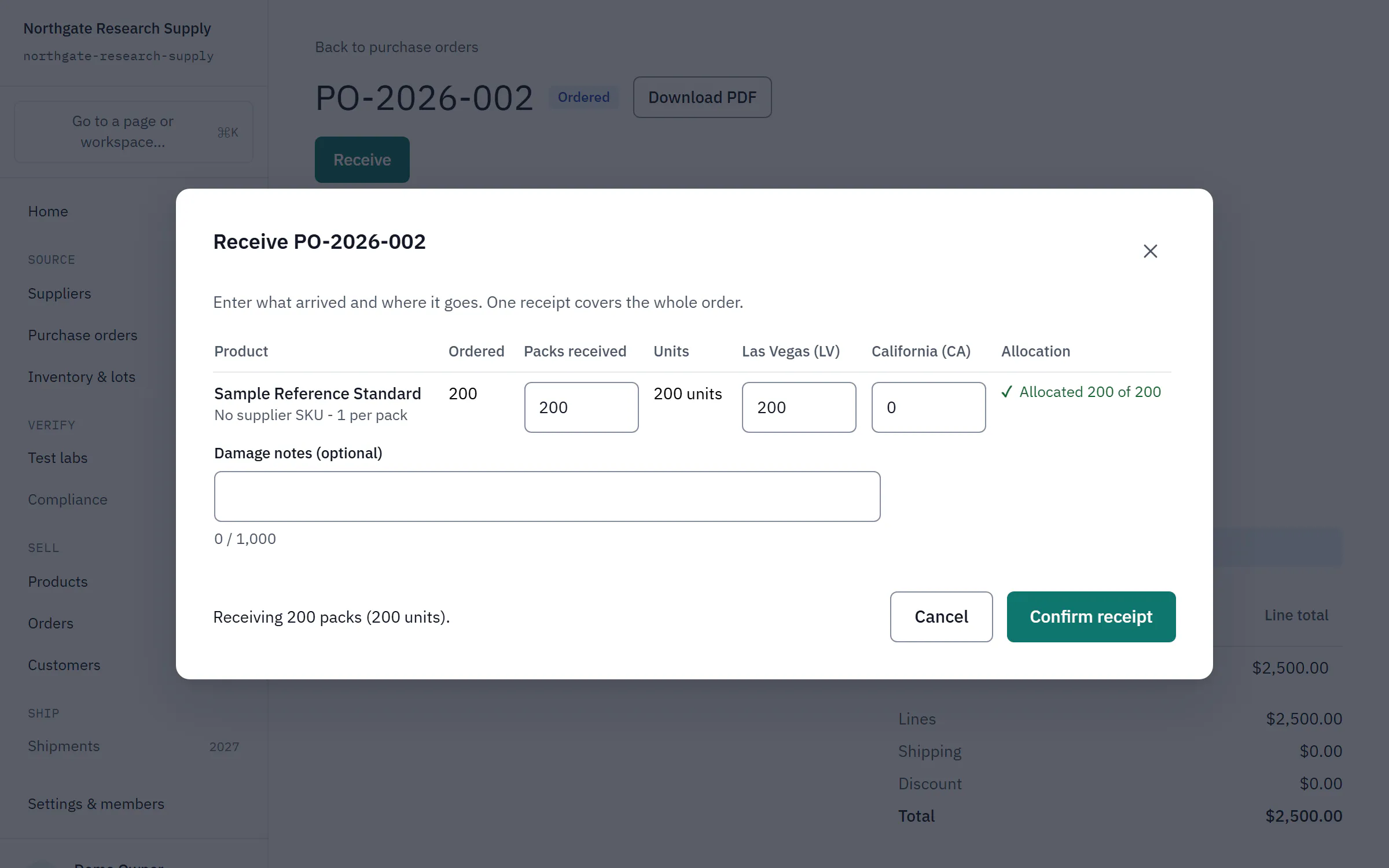
Step 2 of 3A received lot shows as untested
Lot PX1107-2026-001 of Sample Reference Standard was received on purchase order PO-2026-001. It shows the status active and the test status untested.
Example dataInventory & lotsQ1 2027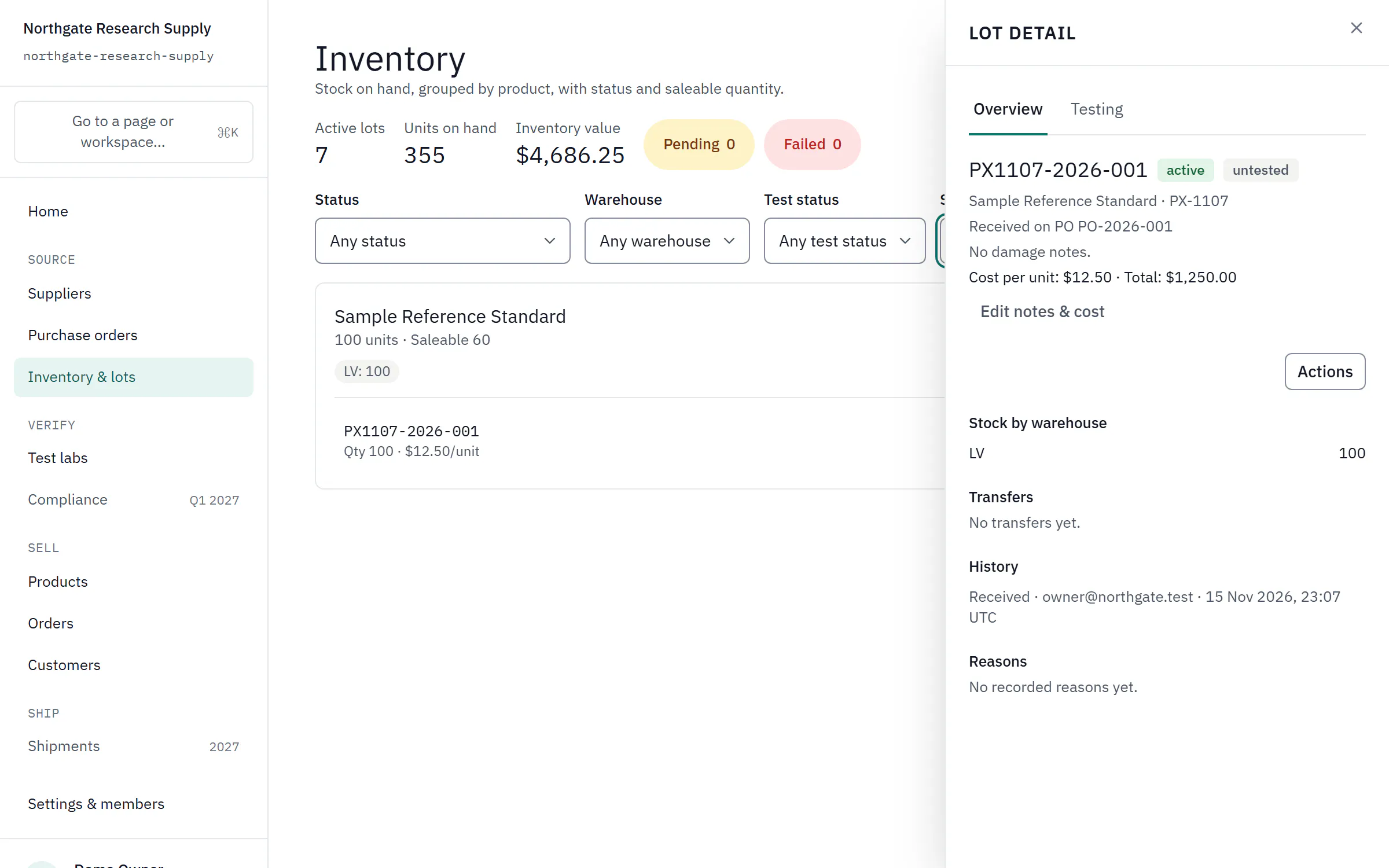
Step 3 of 3A passed test and a released COA
A different lot, PX1107-2026-B01, has a test result from Example Analytical Lab marked Passed, and a COA marked Released with a date.
Example dataCOA & QCQ1 2027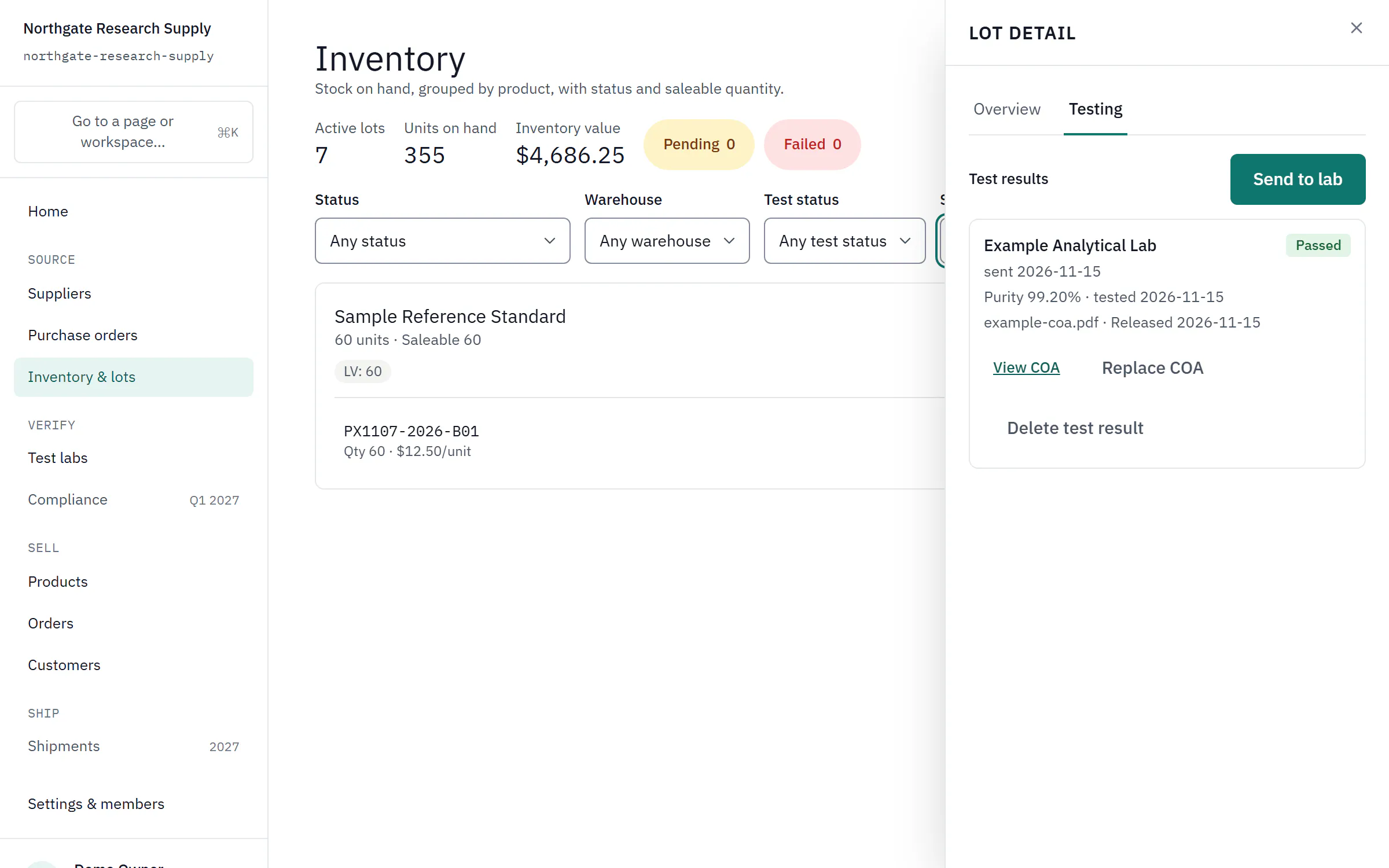


Run your RUO business from one place.
Early access opens January 2027. Each plan comes with its own isolated workspace.
Free to join. We email a confirmation link now, and we'll write to you about early access, planned for January 2027.